Try the real till

Ring up a real sale.

This is NexPOS, the till Mitchell's Corner in Brooklyn runs on. Tap the food, choose cash or card, and print the receipt. Every screen is the real one.

9:41100%
9:41 Thu 1 Oct100%

    Demo shop: Mitchell's Corner, Brooklyn. Prices and 8.8% sales tax work exactly as on the real till. Nothing you do here is charged or saved.

    800+businesses
    43+countries
    15languages
    How a sale works

    Four taps from order to receipt.

    1. 01Tap the item.A cinnamon swirl and two butter croissants. Pick by photo, search or scan.
    2. 02Check the cart.Change a quantity, add a kitchen note or a discount. Sales tax is worked out for you.
    3. 03Take payment.Cash, card or Tap to Pay. Split the bill in one tap.
    4. 04Hand over the receipt.Printed, or straight to the guest's WhatsApp.
    9:41100%
    Be the guest

    Order on the phone. Take it on the till.

    Your own shop page for collection and delivery. Order something from Mitchell's Corner below, then switch sides and take your own order on their till.

    9:41100%
    1 You, the guest
    9:41 Thu 1 Oct100%
    2 The till at Mitchell's Corner

      Demo shop: Mitchell's Corner, Brooklyn. Nothing you order here is sent or charged.

      A whole day at Mitchell's Corner

      Drag through a day. Watch the shop run.

      Every sale at the counter reaches the kitchen, the stock count and the numbers the moment it happens. After close, NexIQ writes tomorrow's plan.

      Kitchen pass Kitchen display
      Stockroom Stock
      Back office Dashboard
      Counter The till
      At home NexIQ
      7:00
      Your sale, 9:41
      Drag the timeline, or press play. A demo day at Mitchell's Corner; the screens are the real ones.
      Five shops, one till

      One till. Every trade.

      The same NexPOS, set up for a café, a clothes shop, an electronics store, a grocer and a pharmacy. Pick a shop and ring something up.

      Five demo shops with their own real catalogues and photos. Nothing you ring up here is charged or saved.

      No special hardware

      Runs on the screen you already have.

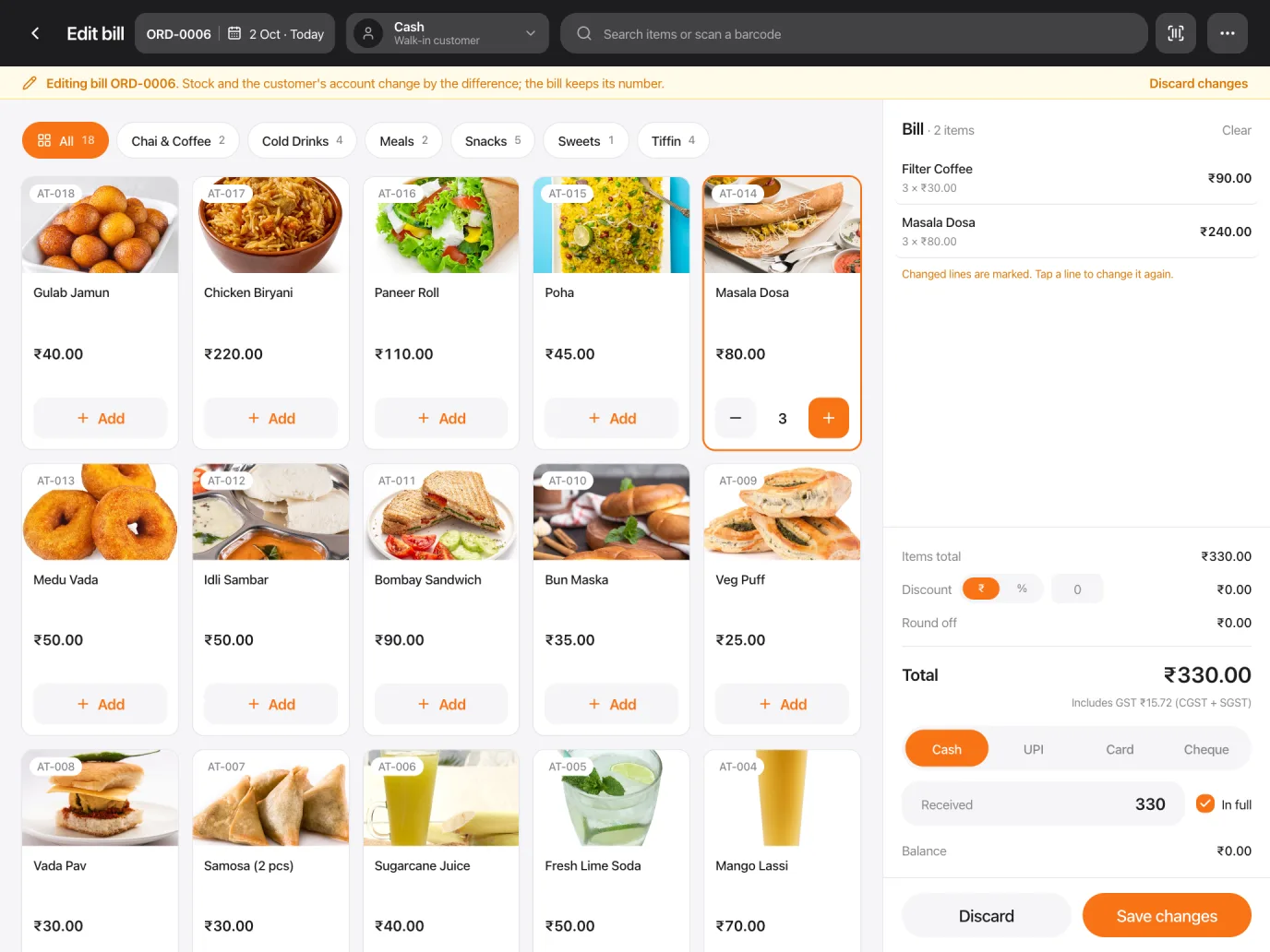
      A laptop, a tablet, a phone, Apple or Android. Same till, same cart, at the same moment. Tap a product on any of them.

      NexPOS on a MacBook Pro
      NexPOS on an iPad Pro
      9:41100%
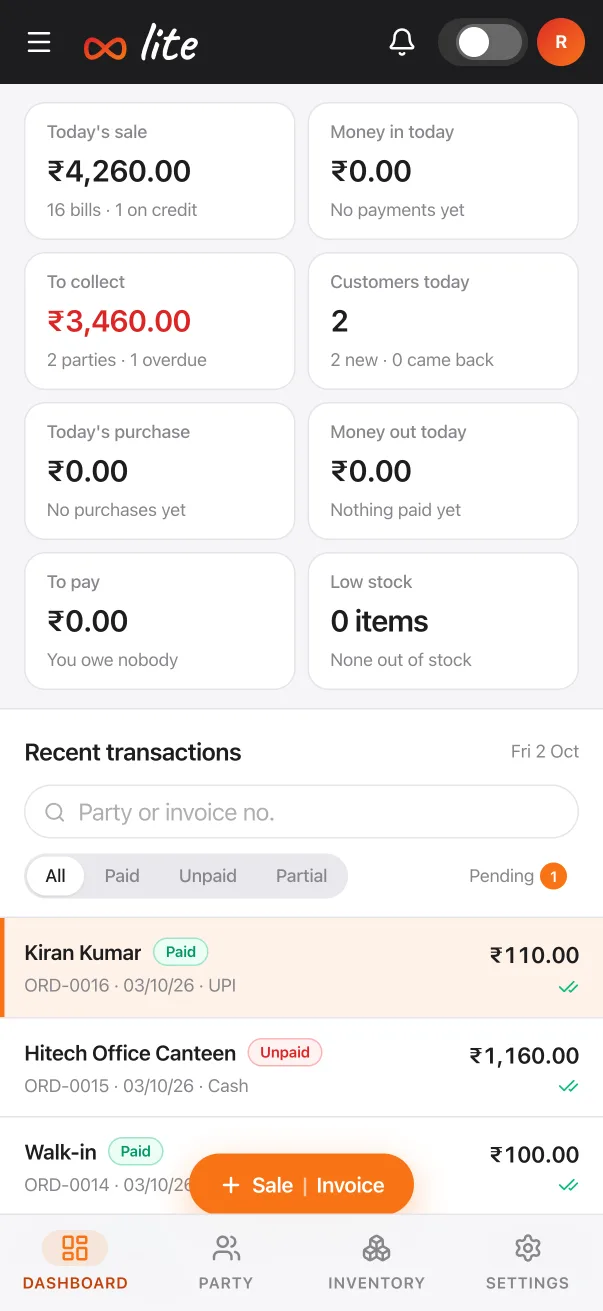
      NexPOS on an iPhone

      Same cart, every screen.

      Works with thermal receipt and kitchen printerscash drawersUSB or camera barcode scanningStripe card readers

      NexPOS Desktop

      Rather install it on Windows?

      We are building NexPOS as an app you install on your computer. Leave your WhatsApp number and you will be the first to get it.

      Pricing

      Start free. Pay as you grow.

      Every paid plan starts with a free trial. Change plan or cancel whenever you like.

      Add what you need

      Optional extras, on any plan, monthly.

      Your total

      Start free

      Integrations

      Works with what you already use

      Card payments with Stripe, bills on WhatsApp, UPI QR, Swiggy and Zomato, address lookup, receipt printers and exports. Tell us what you use and we'll connect it for your shop.

      NexPOS
      Connect an integration

      Tell us what you use.

      We set it up for your shop and message you on WhatsApp when it's connected.

      Questions

      Straight answers. Before you start.

      Is NexPOS really free?

      Yes. The Free Forever plan lets one person sell up to 50 products, take cash and card payments, run shifts and show receipts on screen, with no credit card and no time limit. Inventory, customers, printed and email receipts and reports come with Essential; Professional adds more than one branch, offline mode, loyalty, recipes and API access.

      Can I try a paid plan first?

      Yes. New accounts get 30 days of a paid plan free, with no card needed. Prices for your country are in the pricing section above.

      Does NexPOS take a cut of my sales?

      Not on cash, and not on cards you take on your own card machine. Cards taken through NexPOS are processed by Stripe at Stripe's rate, plus a 0.5% NexPOS fee.

      What do I need to run it?

      Any device with a web browser: an iPad, an Android tablet, a laptop or a phone. There are apps on the App Store and Google Play. Thermal receipt and kitchen printers work with it; nothing else is required.

      Does it work for restaurants and cafés?

      Yes: tables, a kitchen display with a screen per station, modifiers, split bills, holding orders, and online ordering for collection and delivery with the Online Booking & Store add-on. In India, Swiggy and Zomato orders can be connected on request.

      Can customers order from me online?

      Yes, with the Online Booking & Store add-on: your shop gets its own page for collection and delivery orders and bookings, with card payment. Orders land on the till and the kitchen screen, and you accept them with one tap.

      Does it work without internet?

      On the Professional plan, the till keeps selling when the connection drops and syncs the sales when it comes back.

      Which countries does it work in?

      NexPOS sells in your own currency with your local tax, including India's CGST and SGST split and VAT-inclusive pricing in Europe. Shops in 43 countries have made sales on it, and this site is in 14 languages.

      What is NexPOS Lite?

      A simpler NexPOS for tea stalls, tiffin centres and small shops in India: bills on the phone, sent on WhatsApp. It is ₹2,499 a year plus GST, sold directly.

      Can I bring my products and data with me?

      Yes. Import your products from a CSV file. Reports export to PDF, Excel or CSV with the Report Export add-on, which Professional includes. Your data stays yours.


      Reviews

      Loved by businesses around the world.

      “Switched from Square and saved $120/month. NexPOS does everything we need — inventory, CRM, kitchen display — all free.”

      Prashant M.Café Owner, India

      “The multi-currency feature is a game changer. We serve tourists from 10+ countries and NexPOS handles every currency automatically.”

      Cecilia S.Retail Store, Singapore

      “I set up my entire restaurant POS in 15 minutes. Products, modifiers, kitchen display — all working on my iPad.”

      Hunor M.Restaurant Owner, Europe

      Ready to modernize your business?

      Join 800+ businesses already using NexPOS. Set up in minutes, free forever.

      Start Free Today No credit card · No setup fees · Cancel anytime